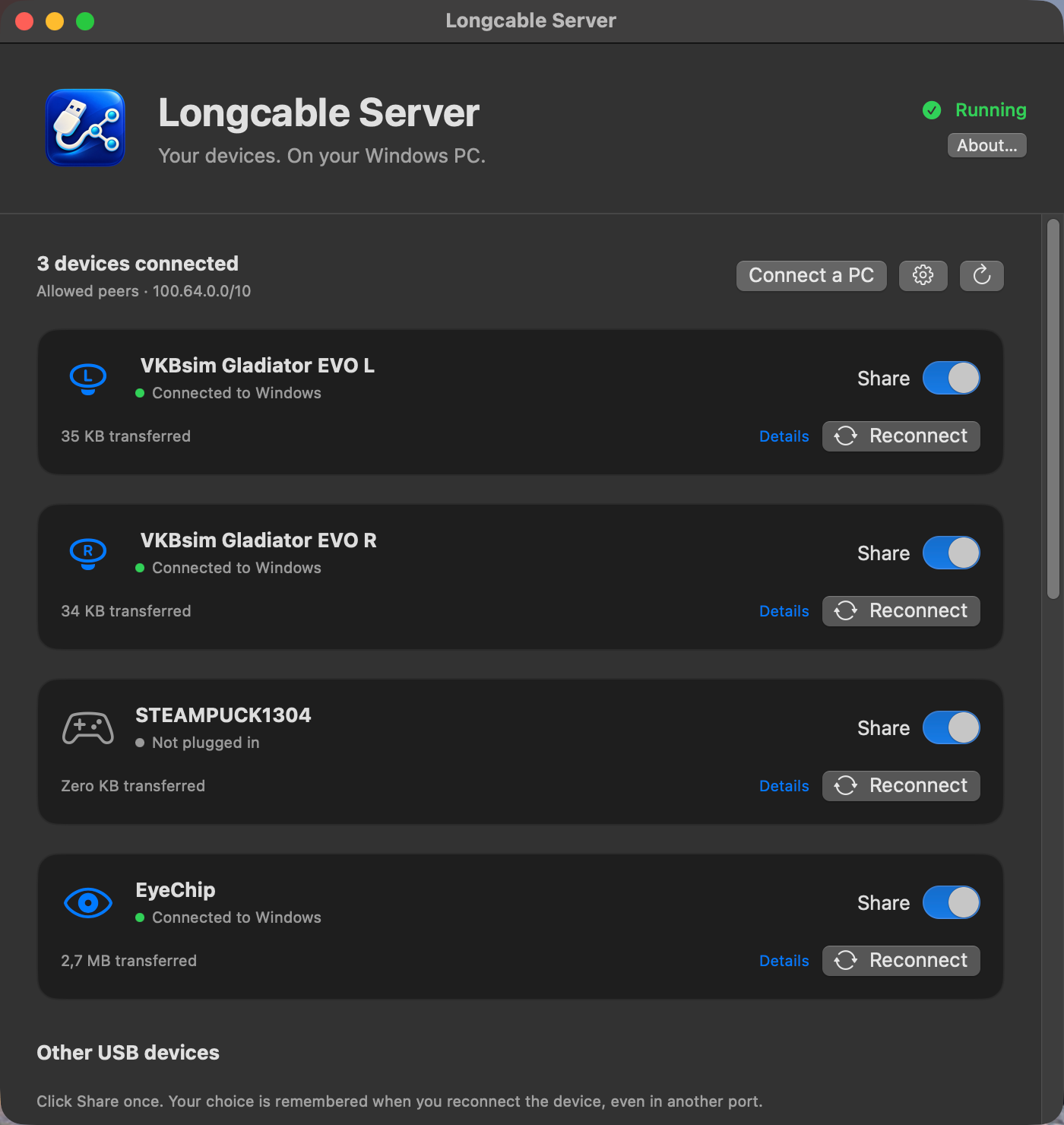
I play Star Citizen on a Windows gaming PC in another room and stream it to my Mac with Moonlight. Picture, sound, keyboard and mouse came across fine. My two VKB joysticks and my Tobii eye tracker didn't: they were plugged into the Mac, and the game ran on the PC. Later I noticed my voice didn't make it across either.
So I built Longcable: a free, open-source USB over IP server for macOS. Plug a USB device into your Mac and use it on a Windows (or Linux) PC over the network, as if it were plugged in there: USB passthrough from Mac to PC. The newest version also forwards your Mac's microphone to Windows, as a virtual USB microphone, and the Mac can keep using it at the same time.
Below is what it does and how to set it up. On my machines setup took a few minutes.
The problem: Moonlight and Sunshine forward a gamepad, not a HOTAS
Moonlight, with Sunshine or Apollo on the gaming PC (or the Artemis client), does what it's meant for very well: video, audio, keyboard, mouse and gamepads. But it has no general USB passthrough. Anything more unusual stays on the computer you're sitting at:
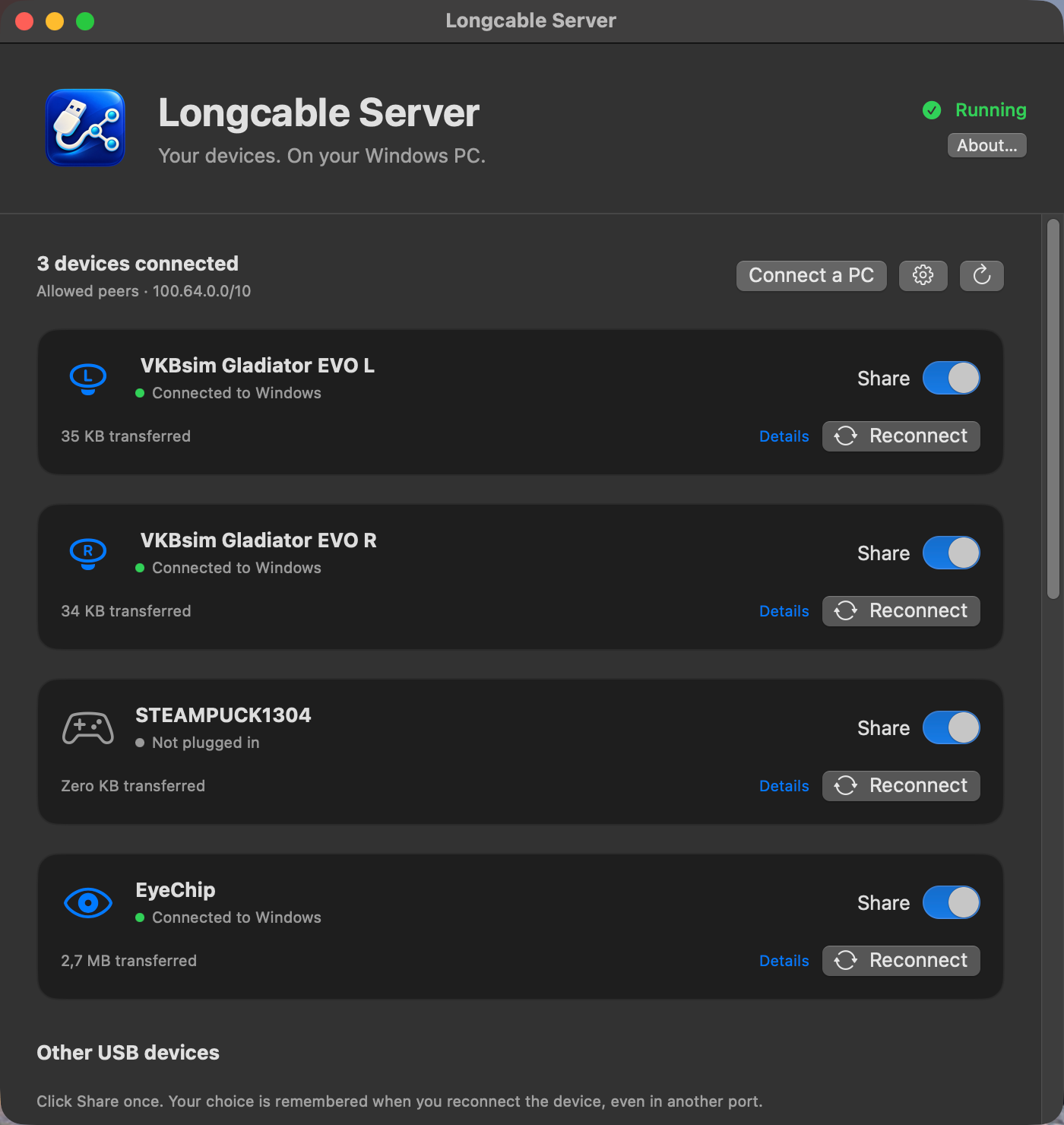
- HOTAS setups: flight sticks, throttles and pedals (in my case a dual-stick setup with two VKBsim Gladiator EVO sticks)
- Eye trackers such as the Tobii Eye Tracker 5, used for head tracking in flight and space sims
- Controller receivers, for example the Steam Controller dongle
- USB microphones, and the microphone of the Mac itself
The usual answer is "USB over IP" (also called USB over network): take a USB device on one computer and hand it to another computer over the network. On Linux this is built in (usbip). On Windows there are free, maintained tools for both directions: usbipd-win shares devices and usbip-win2 uses them. On the Mac there was nothing free that worked out of the box: a few libraries and experiments, some needing SIP disabled, but no ready-to-use app. The commercial option, VirtualHere, uses its own protocol and needs a paid license for more than one device.
What Longcable does
Longcable is a native USB/IP server for macOS with a small menu-bar app:
- Share USB devices from a Mac to Windows or Linux. Tick a device in the app and it appears on the PC as if it were plugged in locally. Games, the Tobii software and Windows' game controller settings see it as a local device.
- No kernel extension, no SIP changes. It uses Apple's own IOUSBHost device capture, so there's nothing to approve in Security settings and no system extension to load. It runs on macOS 13 or later, on Apple Silicon and Intel.
- Nothing to install on Windows besides the standard client. Windows uses the signed, open-source usbip-win2 client. The setup command installs it for you with winget.
- It reconnects on its own. In my tests, joysticks and the eye tracker came back by themselves after unplugging, moving to another USB port, network drops, service restarts and Windows reboots. A device keeps the same bus ID, so Windows remembers it. (A passed-through USB microphone is the exception: after a replug it needs one click on Reconnect.)
- Free and open source under GPL-3.0.
USB device ──▶ Mac (Longcable) ══ USB/IP over TCP 3240 ══▶ Windows (usbip-win2) ──▶ game
In my setup that means two VKB sticks, a Tobii Eye Tracker 5 and a Steam Controller receiver, all plugged into the Mac on my desk and all used by Star Citizen on the PC. In a 20-second input check each stick delivered around 1,240 reads with zero failures, and I've played for hours like this.
New: your Mac's microphone on the Windows PC, for Moonlight, Discord and in-game voice
Once the sticks worked, the next problem was voice. My Moonlight setup didn't carry my microphone to the gaming PC, so Discord and in-game voice chat on the PC couldn't hear me.
Longcable could already pass a whole USB microphone through to Windows (my Elgato Wave:3 works that way). But passthrough hands the entire device to the PC: the Mac loses it until you stop sharing. And the microphone I actually wanted to use was often the MacBook's built-in one, or AirPods, which aren't USB devices at all.
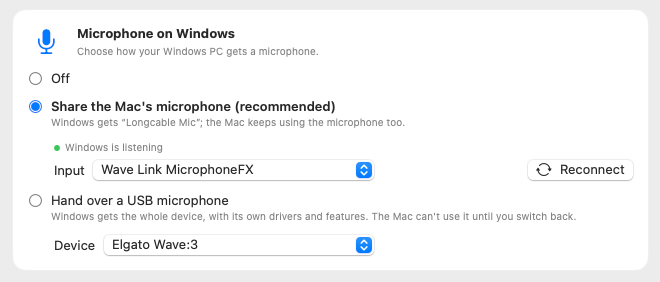
Longcable Mic works the other way round. The Longcable app records a Mac input through macOS's shared audio system, any input you like, and offers Windows a separate virtual USB microphone called "Longcable Mic" over the same USB/IP connection:
Mac microphone ──▶ Longcable (records) ══ USB/IP ══▶ Windows: "Longcable Mic" ──▶ Discord / game
      │
      └──▶ Mac apps keep using it at the same time
Some details:
- Any Mac input you can pick in macOS: the built-in MacBook microphone, a USB mic, an audio interface, AirPods.
- The Mac keeps the microphone. FaceTime, Zoom or Discord on the Mac keep working with the same mic while Windows hears it too.
- No extra audio driver on Windows. Besides usbip-win2 there's nothing to install: Windows sees a standard USB Audio Class microphone and uses its own built-in driver. Pick "Longcable Mic" in Discord, in the game's voice settings or in Windows' sound settings.
- It's off until you turn it on, and the Mac records only while a Windows app actually has the microphone open. macOS shows its orange recording dot whenever that's the case.
- Mono, 48 kHz, 16-bit, with an estimated 40 to 60 ms of delay (it depends on your network): made for voice chat, not for recording music.
- The Longcable app needs to be running (it lives in the menu bar).
In my tests on Windows 11 a 440 Hz test tone arrived at exactly 440 Hz with no gaps, and Discord's mic test played my voice back while the Mac was recording the same microphone. Longcable Mic is still marked experimental: it's new, and I'd like more people to try it on more setups.
How to forward a USB device from a Mac to Windows (three steps)
1. Install Longcable on the Mac. In Terminal:
curl -fsSL https://github.com/Sapd/longcable/releases/latest/download/install.sh | bash
The installer checks the release checksum, installs the background service and opens the app. If Tailscale is running it allows your tailnet, otherwise your local network.
2. Choose what to share. Tick the USB devices you want on the PC. For your voice, open Microphone on Windows and choose Share the Mac's microphone.
3. Run one command on the PC. Click Connect a PC, then Copy command, and paste it into PowerShell or Windows Terminal opened as administrator. The command installs usbip-win2 if needed, attaches everything the Mac shares and tells Windows to remember it, so it reconnects after a reboot.
If you change what you share later, run the same command again and the PC matches the Mac. Or tick Keep this PC in step automatically before copying: the command then adds a small Windows scheduled task that syncs every minute and at startup and login. It uses only Windows' own Task Scheduler, runs as the system account, and changes nothing if a different Mac answers at that address.
Does it work over the internet?
Yes, through Tailscale or another VPN such as WireGuard. That's how I use it: one address that works at home and away, and on the same network Tailscale connects directly, which keeps the latency low.
One warning: USB/IP has no authentication and no encryption. Never forward port 3240 on your router. Longcable only accepts PCs on its allow list, and a PC it refuses shows up in the app with an Allow button.
Longcable as a free VirtualHere alternative on the Mac
VirtualHere is the established commercial way to share USB devices from a Mac. It has been around much longer, supports more device types, and it can also act as a client on the Mac. Longcable is the free, open-source option:
| Longcable | VirtualHere | |
|---|---|---|
| Price | free | one device free, a paid license for more |
| Source | open source (GPL-3.0) | closed source |
| Protocol | standard USB/IP | its own |
| Windows client | usbip-win2 (free, signed) | VirtualHere client |
| Use the Mac's mic on Windows while the Mac keeps it | yes, Longcable Mic (experimental) | no, only whole-device passthrough |
| Use remote USB devices on a Mac | no | yes |
Limitations
- Mac to PC only. Longcable shares devices from a Mac. Using a remote USB device on a Mac would need a virtual USB host controller, which macOS doesn't offer third-party software without a kernel or DriverKit extension.
- USB audio passthrough and Longcable Mic are experimental. Webcams are untested.
- A shared device disappears from the Mac while the PC uses it. That's how USB passthrough works (Longcable Mic is the exception).
- The app isn't notarized yet, which is why the installer uses
curlrather than a browser download.
Try it
Longcable on GitHub has the full setup, a FAQ and every test result. If you use it with a device I haven't tried, or Longcable Mic on your setup, please tell me how it went in the issues.
FAQ
How do I use a USB device from my Mac on a Windows PC?
Install Longcable on the Mac, tick the device in the app, click Connect a PC and paste the command into an administrator PowerShell on the PC. Windows attaches the device and reconnects it after reboots.
Is there a free USB/IP server for macOS?
Yes: Longcable. It's open source (GPL-3.0), uses Apple's IOUSBHost device capture instead of a kernel extension, works with the standard usbip-win2 client on Windows and runs on macOS 13 or later.
Can I use my Mac's microphone on my Windows gaming PC?
Yes. Turn on Longcable Mic in the app, run the Windows command once and pick "Longcable Mic" as the input in Discord or your game. Any Mac input works, including the built-in MacBook microphone and AirPods.
Does Moonlight support USB passthrough or microphone passthrough?
Moonlight forwards keyboard, mouse and gamepads, but not arbitrary USB devices. Longcable forwards HOTAS sticks, eye trackers and USB microphones to the PC running Sunshine or Apollo over USB/IP. Mainline Moonlight and Sunshine don't carry your microphone either; some forks and open pull requests add it. Longcable Mic works with any streaming host or client, because it doesn't depend on the streaming software.
Can I use a Tobii eye tracker while game streaming?
Yes. Plug it into the Mac, share it in Longcable and attach it on the gaming PC. Tested with a Tobii Eye Tracker 5 in Star Citizen.
Is there a free VirtualHere alternative for Mac?
Longcable is free and open source and uses the standard USB/IP protocol, so it works with the free usbip-win2 client on Windows and the built-in usbip on Linux. VirtualHere is more mature, supports more device types and can also be a client on a Mac; Longcable only shares devices from a Mac.
Does it work with Linux?
Yes, as a client: Linux has USB/IP built in (modprobe vhci-hcd, then usbip attach). Linux clients are less tested than Windows so far.