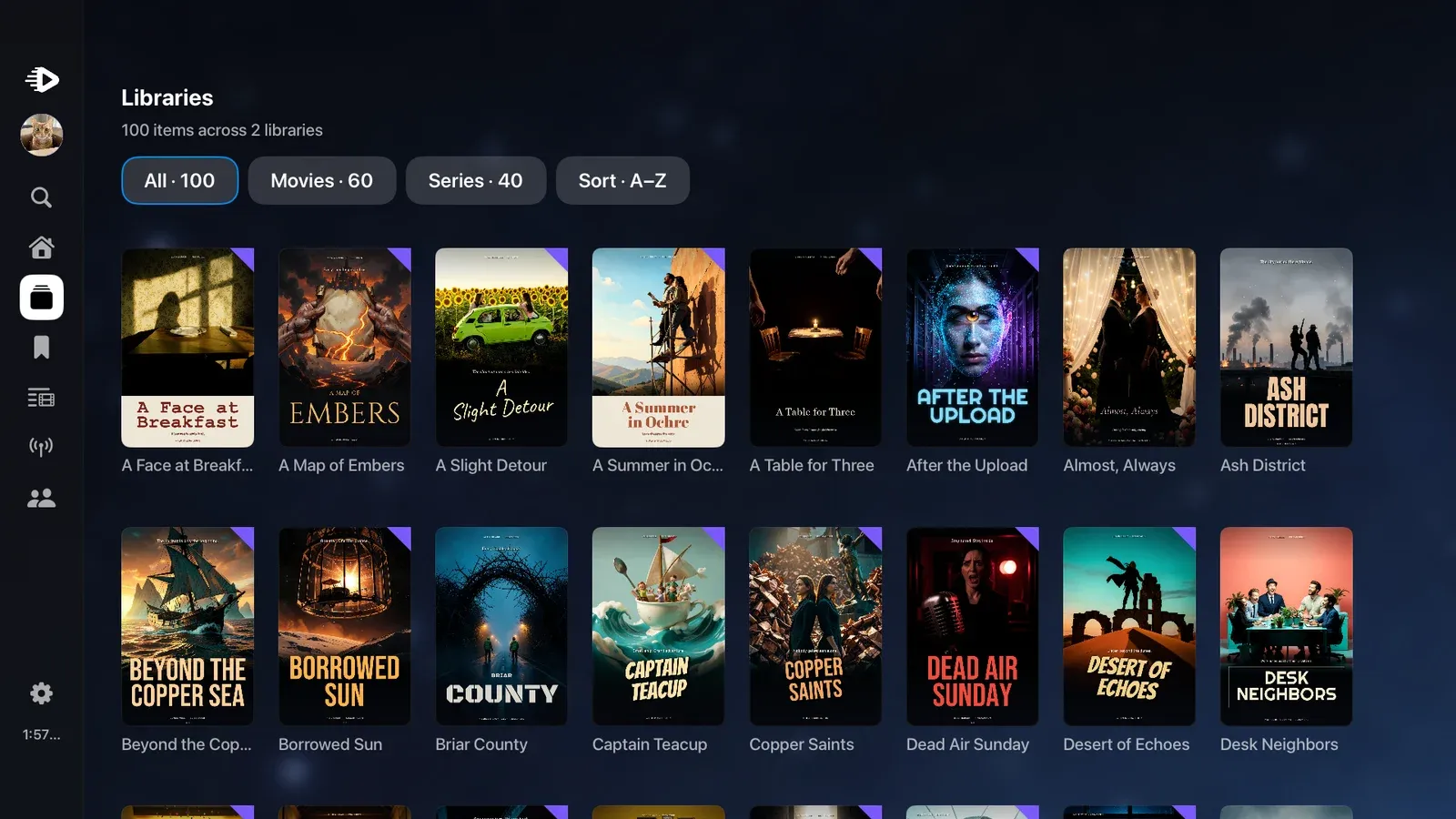
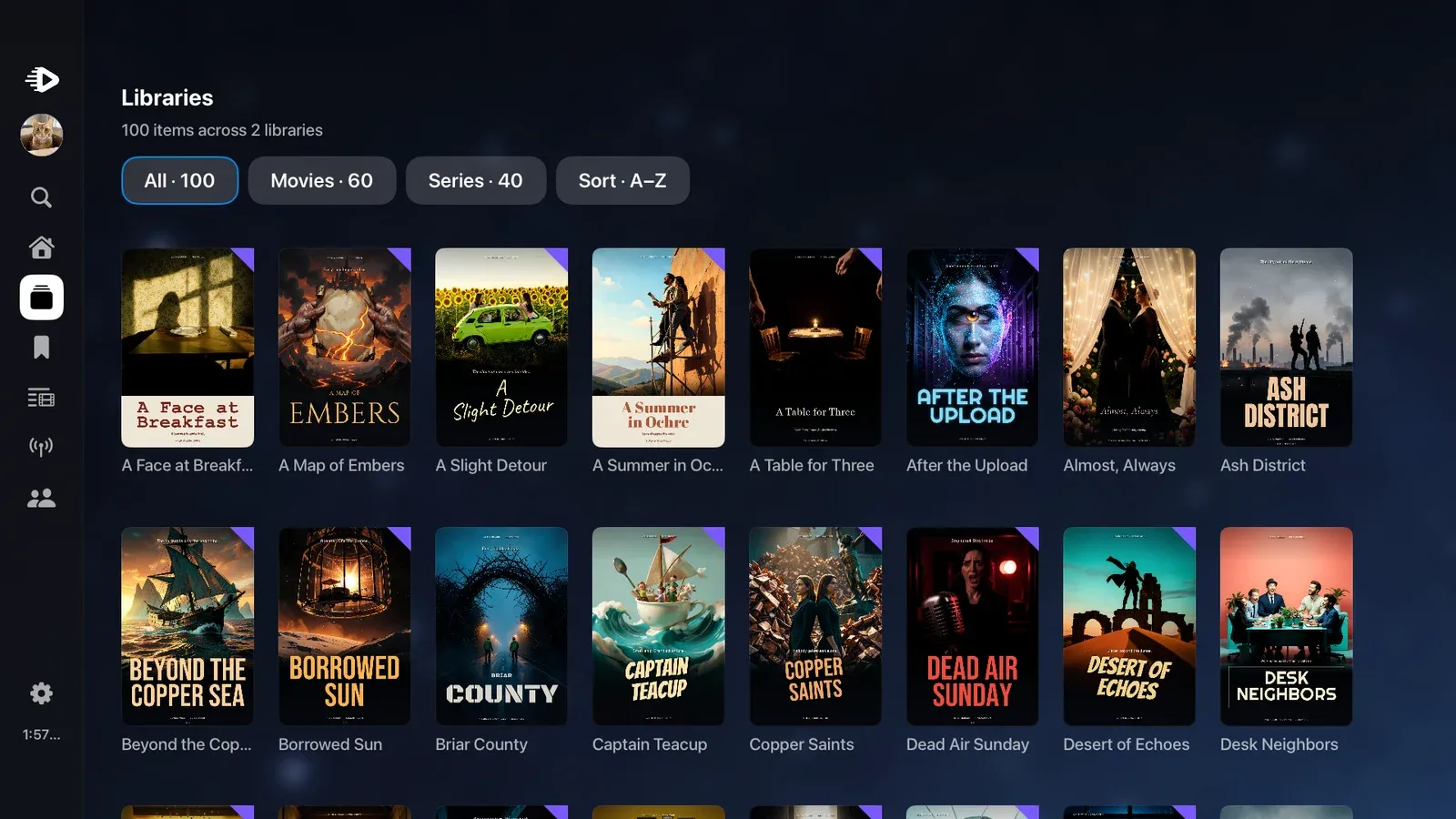
Lumastra is an open-source, self-hosted media server that I wrote and run at home. It plays movies, series, music, audiobooks and live TV for my family and friends, in its own Apple apps or in Jellyfin apps. I built it in the evenings and on weekends next to my job.
It started as a dashboard
My first commit is from June 4, 2023, and it had nothing to do with playing video. It was my replacement for Organizr: one page that showed what my other self-hosted services were doing. Streaming sessions, a series calendar, trailers. To watch something you clicked a link and landed in Jellyfin.
I never planned to write a media server. Doing all that work only to end up with what Jellyfin already does made no sense to me.
What changed my mind was that I wanted a server that knows what is in the library. In August 2025 I rewrote the dashboard from scratch and created embeddings for every title, so it could find similar movies. It still could not play anything.
The player came in December 2025, and at first it only passed on Jellyfin's streams. In February 2026 it could stream a file from disk on its own. From then on Jellyfin was an optional sync source and I had, without really deciding to, a media server. The longer version is on the Lumastra story page.
Two more things I wanted and could not get elsewhere: sign-in through my identity provider on every device, including the TV, and a server that I can run with more than one replica.
What Lumastra is today
My family and a group of friends use it every week. Most of what they watch is movies and episodes.
Here are the four features I would miss most:
- Native apps for iPhone, iPad and Apple TV. A friend started the Apple TV app in January 2026 and it grew from there.
- It is Jellyfin-compatible: Jellyfin apps connect to it directly. Lumastra answers the Jellyfin API itself, there is no Jellyfin server behind it.
- Live TV from HDHomeRun tuners and from IPTV sources (M3U and Xtream), with a program guide. No DVR, it is for watching.
- Single sign-on (OIDC) everywhere, including the Apple TV. The Apple apps show a code, you approve it in a browser, and nobody types a password with the TV remote.
The Jellyfin part turned out more important than I expected. There is no Android app for Lumastra, so a good part of the people on my server watch through the Jellyfin Android TV app. The Jellyfin apps are unmodified and the Jellyfin project has nothing to do with Lumastra. I am glad these apps exist.
For sign-in I use Authentik. Some years ago I implemented the OIDC login in Audiobookshelf, and I did not want another service at home with its own password list. There is a guide for single sign-on with Authentik.
Several services, on purpose
Lumastra has no single-container mode. Docker Compose starts five containers: the web server, a worker, PostgreSQL and two Valkey instances. The worker is required, the web server does not do its jobs for it.
The reason is how I run it. At home it sits on a small k3s cluster, installed with Lumastra's Helm chart for Kubernetes. The web part runs with replicas, so I can update or restart it without stopping somebody's episode; there is a guide for zero-downtime updates. The worker does scans, transcodes and analysis, and it can sit on another node, for example the one with the GPU. Heavy jobs like intro detection can take every CPU core and streaming does not get slower. Immich makes a similar split.
On one Docker host this looks like a lot. It still runs fine on one box, with the same images. The quick start uses Docker Compose, and there is a separate guide for Kubernetes with the Helm chart.
Compared with Jellyfin, Lumastra is heavier. I recommend 8 GB of RAM; a small library can run on about 4 GB in low-RAM mode. Jellyfin is more mature, has more apps and needs less memory. If you want it simple, use Jellyfin. It is good software and I ran my project on top of it for a long time.
If you have Jellyfin today, you can try Lumastra next to it. Point it at the same media folders and turn on Jellyfin sync to bring over watch progress. Hardware transcoding works with Intel, NVIDIA and AMD; Intel is the most tested. The Apple apps need the server on HTTPS with a trusted certificate.
Building Lumastra with AI
My private repository has about 17,000 commits, far more than I could review line by line. The public repository is a replay with far fewer. I did not type all of that myself. I used Claude, through Claude Code, for a large part of the code, the tests and the documentation.
An AI model tells you a feature is done in the same confident tone whether it is done or not. So nothing counts until a test has run or I have seen it myself. The repository has more than 4,000 test files by now, and the model wrote many of them. Even that was not enough. One early release hung on restart while every test was green. Since then a restart fix only counts when I have seen the real container come back up, twice.
For reviews I use several separate Claude sessions as reviewers, the review command of the BMAD method (/bmad-review), and a second model, OpenAI's Codex, so that one model is not grading its own work. I still check each finding against the code.
One practical problem: I often had several AI sessions working at the same time. A few of them running the test suite at once were enough to make my 24 GB laptop run out of memory. Now every heavy command is synced to a separate machine and runs there, and each session gets its own test database.
It is also not cheap. A big feature can use up the weekly limit of the largest Claude plan twice.
Where Lumastra stands, and who it is for
The code went public on November 3, 2026 as version 0.1. The current version is 0.2.0, released on November 14.
It fits people who already run a homelab with Kubernetes or Compose, like having PostgreSQL and an identity provider around, and want an Apple TV app or want to keep their Jellyfin apps. It does not fit anyone who wants a one-click install. My own setup is Intel Quick Sync, Authentik, k3s and Apple devices; outside of that, expect rough edges.
I run it at home every day and fix bugs and security issues as they come up. Feature ideas are welcome in the Discussions on GitHub.
Since version 0.2.0 the whole server is open source under AGPL-3.0, including the Jellyfin API and the AI assistant. There are no paid parts and no license keys. Earlier versions had a source-available part with a limit of two streams for Jellyfin apps; that is gone. The Apple apps are closed source and free, through public TestFlight.
Conclusion
My family and friends press play every week and don't think about what is behind it. That was the goal, and it took me much longer to get there than I thought in 2023.
I would not build it at this size again, but I am glad it exists.
If you want to try it, start with the quick start. Everything else is on lumastra.org, and the code is on GitHub at Sapd/lumastra.